Download APK v0.23
42.59 MB · FullDownload ZIP v0.23
5.1 GBPopular searches
The Elder Scrolls V: Skyrim is an epic open-world RPG set in the vast and immersive fantasy world of Tamriel. You play as the Dragonborn, a legendary hero destined to face the return of ancient dragons and uncover the secrets of a forgotten power. Explore breathtaking landscapes, from snow-covered mountains and dense forests to bustling cities, ancient ruins, and dangerous dungeons filled with treasures and hidden mysteries. Create your own character and shape your adventure through countless quests, choosing your own path and deciding how to interact with the world around you. Master a wide variety of weapons, spells, and abilities, develop your skills, join powerful factions, become a skilled warrior, mage, assassin, or anything in between. Along the way, you’ll encounter fascinating characters, make important decisions, fight fearsome creatures, and uncover stories that shape the fate of Skyrim. With its enormous world, engaging quests, memorable atmosphere, and freedom to play however you want, Skyrim offers an unforgettable fantasy adventure where every journey can be different.
| Date | 27.10.2026 |
|---|---|
| Latest Version | v0.23 |
| Genre | Adventure |
| Developer | Bethesda Softworks LLC |
| OS Version | Android 9 |
| Supported languages | Supported languages in this APK.
|

 4.08/5 (59 votes)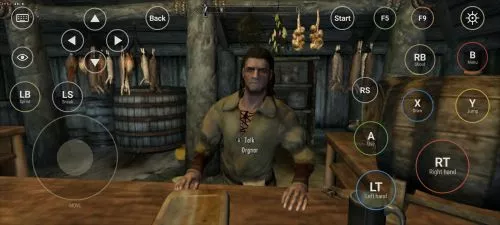
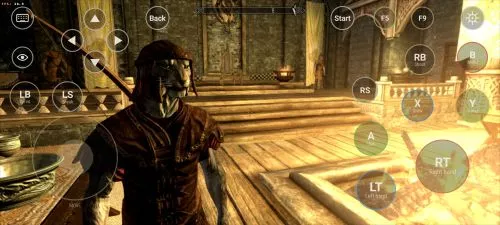
This is an unofficial port of The Elder Scrolls V: Skyrim for Android with touchscreen controls. Enjoy the game!
Installation Instructions
TESV.exeTESV_unpacked.exed3dx9_42.dll (32-bit)binkw32.dllX3DAudio1_7.dll (32-bit)Data folderAndroid/data directory.⚠️ Notes:
TESV_unpacked.exe must be prepared from a compatible original executable. The developer recommends Steamless for removing SteamStub protection.


























The developer tested the port on a device with a Snapdragon and Adreno 610. Functionality on Mali is not guaranteed.
Crashes when “play” is hit
Yes, finally awake!
Darksouls quando
why does the app closes when I press play?
How tf is it only 5GB?